Enable & Disable Products
Your browser does not support the video tag.. With your website you will have the option to enable or disable products. This means that you can decide which products are visible on your website and w…

With your website you will have the option to enable or disable products. This means that you can decide which products are visible on your website and which products are hidden.
Follow this documentation to learn how to enable and disable products on your website.
Enabling & disabling products
First, login to your Magneto admin panel.
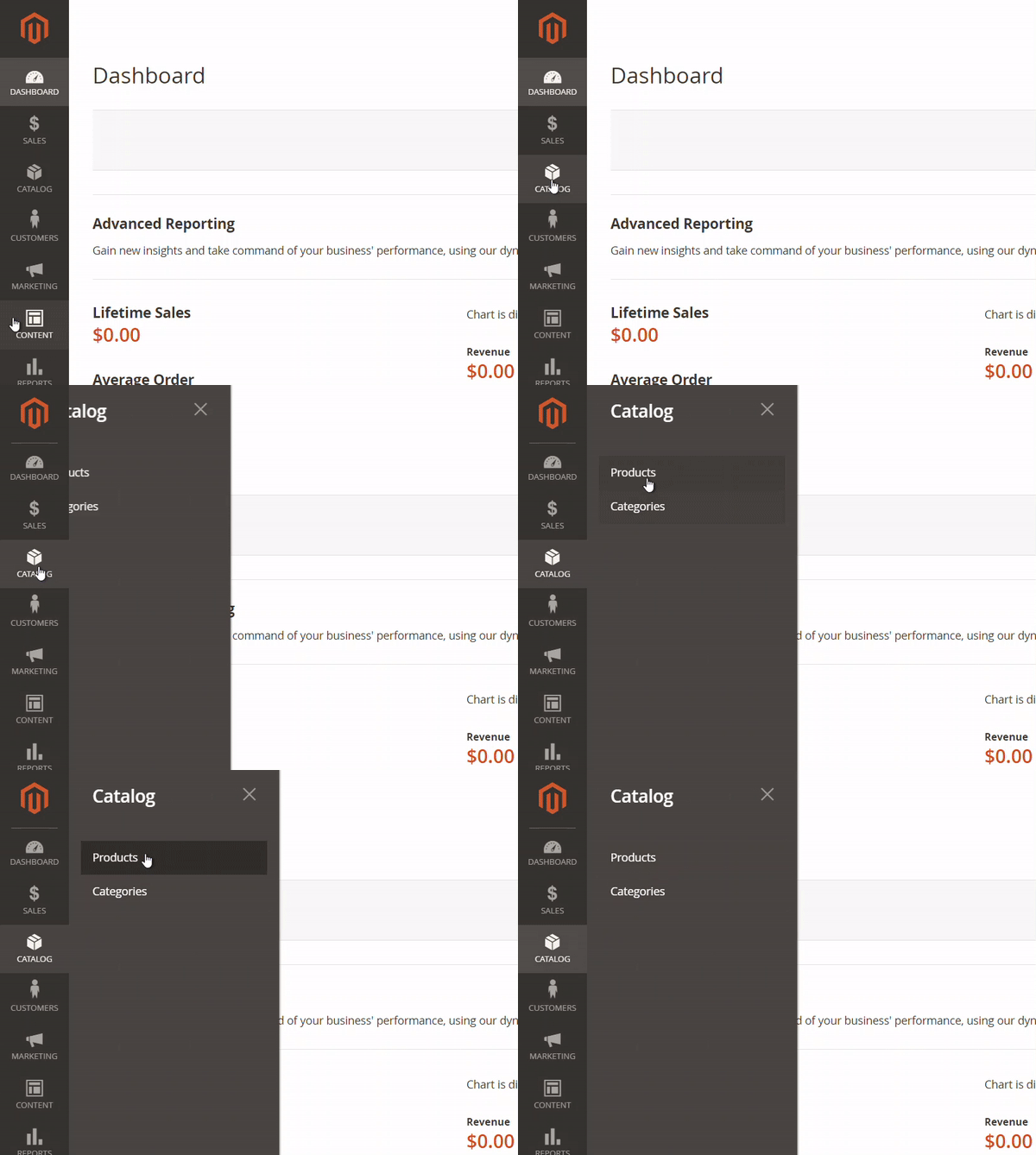
Next, you will navigate to Catalog > Products
Search for the product that you wish to enable > Click checkbox in product row > Click Actions dropdown > Click change status > Click Enable > Click Save button on top right
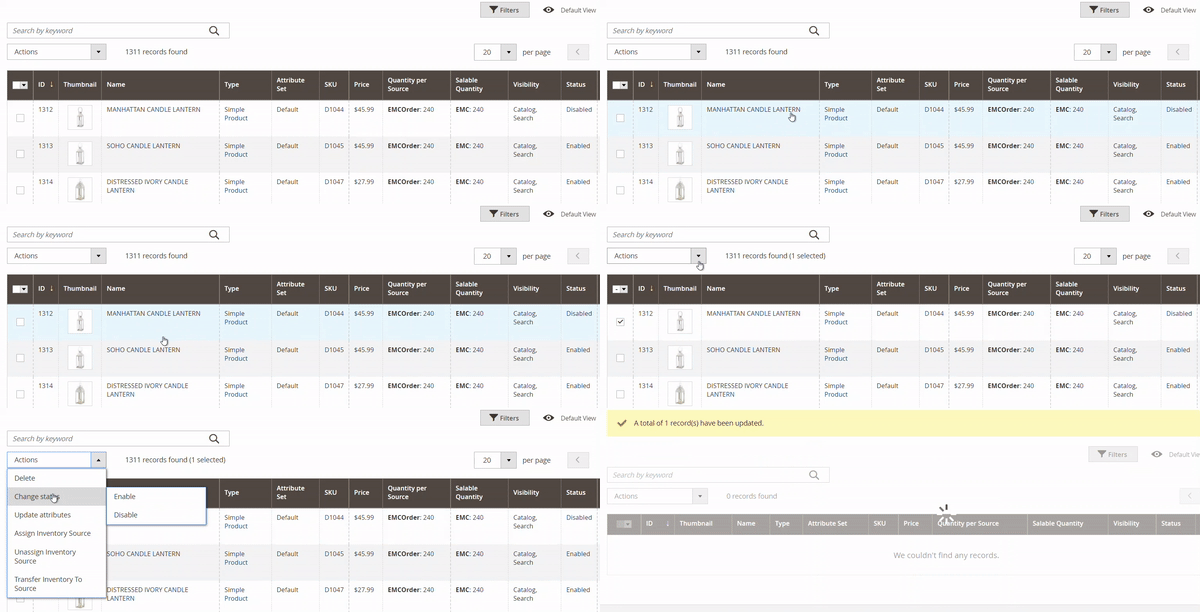
Disabling products is the exact same process but you will select Disable instead of Enable in change status.
Make sure to clear your cache to ensure changes go into effect.
How did we do?
How to add website logo
How to change your website theme
